Blog / Technology

Blog

All Technology Hyundai Gilbert Mesa Chandler Color Options San Tan Hyundai Hyundai Elantra Hyundai Santa Fe Hyundai Tucson Hyundai Palisade Seasonal Holiday Hyundai Sonata Hyundai Kona Hyundai N Hyundai Santa Cruz Safety Hyundai IONIQ Hyundai N Line Service Used Cars Hyundai Accent Hyundai Service Hyundai Venue
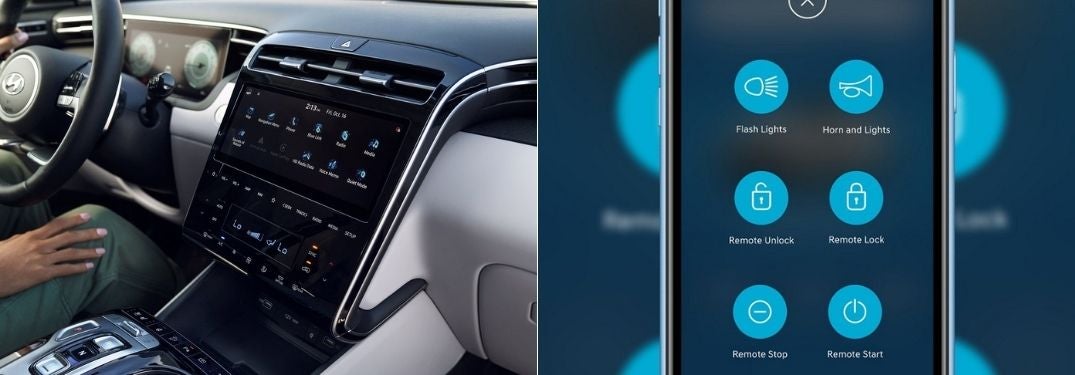
2022 Hyundai Tucson Touchscreen Display and Close Up of Smartphone with Hyundai Blue Link

Step-By-Step Instructions to Using Hyundai Blue Link® Connected Car Services

How To Set Up and Use Hyundai Blue Link® Are you always in a rush? Do you forget to lock the doors on your 2022, 2023 or 2024 Hyundai Tucson? Are you hoping to have remote start in your Hyundai? Hyundai Blue Link® Connected Car Services will provide drivers with that capability on their smartphone with the purchase of select Hyundai models. Armed with Hyundai Blue Link®, you can remotely start, lock, unlock, control interior temperatures and more via your smartphone – and it is FREE for the first three years. Learn how to set up and use Hyundai Blue Link® with this step-by-step guide created by Earnhardt Hyundai - San Tan in Gilbert, AZ. Schedule a test drive and experience Hyundai technology firsthand today! more How-To Guide to Hyundai Blue Link® Connected Services Create a Hyundai Blue Link® Account Install the MyHyundai Blue Link® App on Your Smartphone Log In to the MyHyundai App on Your Smartphone Select the Hyundai Model You Wish to Connect To Select Vehicle Status to Check on Your Hyundai Select Remote Start to Start Your Hyundai and Adjust Temperature Enter Your MyHyundai PIN to Complete the Task READ MORE: How To Pair Your Smartphone with Hyundai Bluetooth

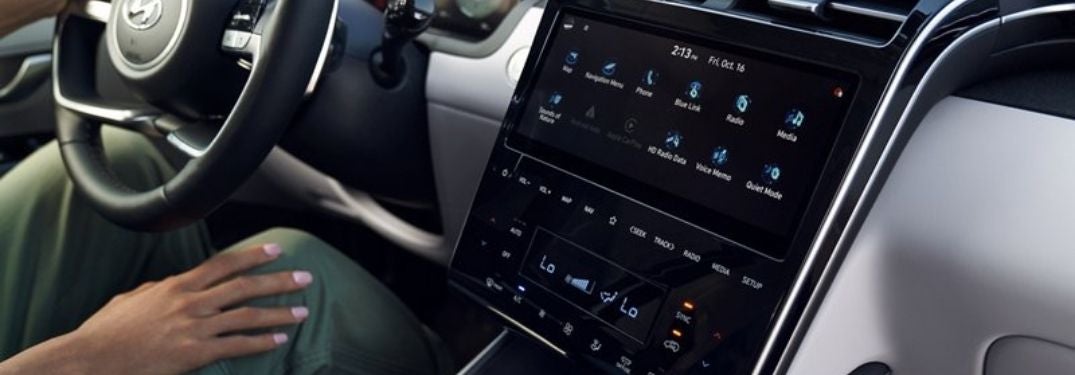
Woman Connecting to Bluetooth on Touchscreen Display in 2022 Hyundai Tucson

Step-By-Step Instructions to Hyundai Bluetooth Pairing

How To Pair Your Smartphone with Hyundai Bluetooth Are you always on your phone in the car? Bluetooth hands-free capabilities in your 2022 Hyundai Tucson make it simple and safe to call or text your friends and family on the road. Families who are new to the Hyundai brand may want to learn how to pair their smartphone with Hyundai Bluetooth and we have got you covered with this step-by-step instructional guide created by Earnhardt Hyundai - San Tan in Gilbert, AZ. Contact Earnhardt Hyundai - San Tan today to schedule a test drive! more How-To Guide to Hyundai Bluetooth Make Sure Your Hyundai is in Park Select Phone on the Hyundai Multimedia Screen Select Bluetooth Functions Enable Bluetooth on Your Smartphone Select Your Hyundai Model on Your Smartphone Authorize the Registration and Enter the Password Allow Contacts and Favorites to Sync Select Show Notifications on the Hyundai Multimedia Screen How To Buy a Brand-New Hyundai Online in Gilbert AZ

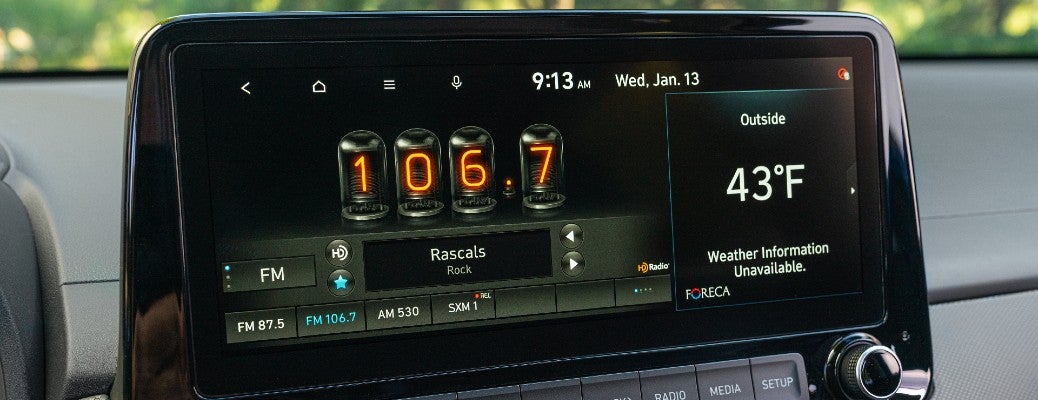
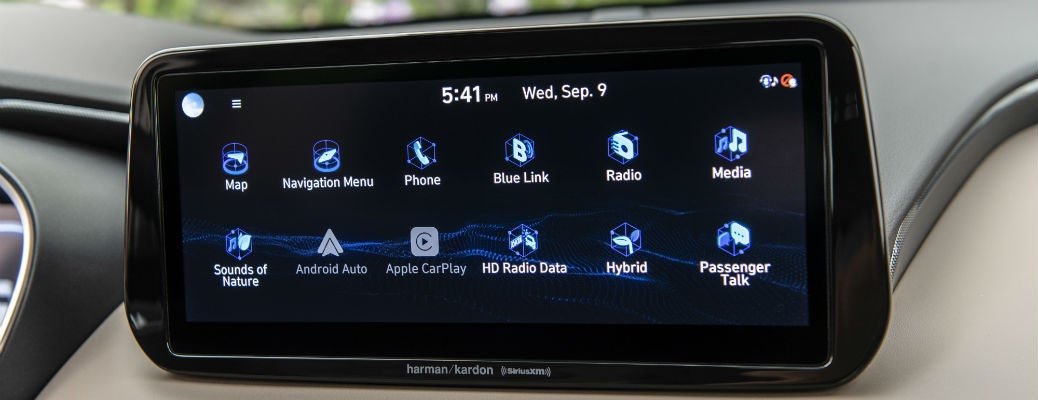
2022 Hyundai Kona infotainment center

Get Your Hyundai Vehicle’s Clock Up to Speed With These Tips

How to Adjust a Hyundai Vehicle’s Clock Settings and Date The start of Daylight Saving Time is right around the corner for many across the country and soon enough most of the U.S. will be springing forward an hour to get back to where we were time-wise last fall. While we don't observe Daylight Saving Time here in Gilbert, AZ, thanks to Mountain Standard Time, it is still helpful to know how to adjust our vehicle’s clock if they ever get out of sync. more Many new Hyundai vehicles these days automatically change the time on the internal clocks for us when we go into different time zones, but some other models require us to go in and manually adjust the clock ourselves. If your vehicle’s clock is out of sync or you’re traveling to a different time zone, use this guide to how to adjust a Hyundai vehicle’s clock settings and date from San Tan Hyundai. When is Daylight Saving Time in Gilbert AZ? Arizone does not observe Daylight Saving Time and instead observes Mountain Standard Time all year. Adjust Your Vehicle’s Clock and Date Settings If you need additional assistance setting your vehicle’s clock or adjusting any other settings in your Hyundai, contact a member of the Earnhardt Hyundai - San Tan team today.

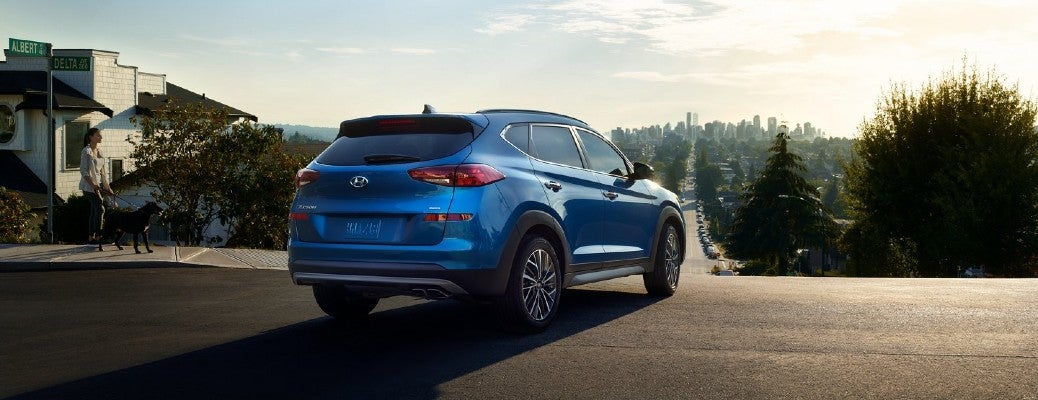
Rear view of blue 2021 Hyundai Tucson

Does the 2021 Hyundai Tucson Support Voice Commands?

2021 Hyundai Tucson Safety and Entertainment Technology Lineup As you search for a new vehicle it is common for shoppers to look for a model that offers the most advanced entertainment technology features. One question we often get asked here at Earnhardt Hyundai - San Tan is, “Does the 2021 Hyundai Tucson support voice commands?” and the answer to that is yes. Not only does the Tucson support voice commands, but the 2021 Hyundai Tucson offers an attractive safety and entertainment technology lineup. Learn all about the technology the Tucson is bringing to the table below. more Standard and Available Hyundai Tucson Technology Features The 2021 Hyundai Tucson has a lot to offer its drivers. The 8-inch color touchscreen navigation system brings everything you need for your daily drives into one spot, giving you an all-access pass to your favorite playlists, audiobooks, and more. The standard Apple CarPlay® and Android Auto™ connectivity suites allow you to stay connected while behind the wheel. Hyundai Tucson models offer an exciting range of additional standard and available technology, including: Wireless device charging Second-row USB outlet Smart Cruise Control with Stop & Go Driver Attention Warning Lane Keeping Assist High Beam Assist Blind-Spot Collision Warning Rear Cross-Traffic Collision Warning Forward Collision-Avoidance Assist with Pedestrian Detection How Do Voice Commands in the 2021 Hyundai Tucson Work? The 2021 Hyundai Tucson offers interactive voice commands that allow you to easily take control of certain in-car features, using just your voice. To get started simply press the PUSH TO TALK button on the steering wheel, as shown in the included photo. After hearing the prompted beep, you can say one of the following available voice commands: “Call” “Help” “Dial” “Phone” “Contacts” “Find Coffee Shop” “Cancel Route” “Go Home” The voice commands in the Hyundai Tucson also allow you to interact with Siri when your iPhone is connected to the infotainment center via Apple CarPlay®. Are you looking to get behind the wheel of the tech-forward 2021 Hyundai Tucson? Visit our Earnhardt Hyundai - San Tan showroom to get started on your search for a new Tucson in Gilbert, AZ. Contact a member of our team to book a test drive. Learn more about our Hyundai vehicles

Closeup of infotainment screen in 2021 Hyundai Santa Fe

What Voice Commands Can I Use in My Hyundai?

2020, 2021 Hyundai Vehicle Voice Commands List More and more technology is being added to vehicles these days and implementing voice commands has been at the top of the list for Hyundai. If you have a 2020 or 2021 Hyundai vehicle you may have found yourself wondering what voice commands you can use in your vehicle. Our team at Earnhardt Hyundai - San Tan has put together this list of Hyundai vehicle voice commands to help you out. Check it out below! more How to Use Hyundai Voice Commands Getting started with using voice commands in your Hyundai vehicle is simple. To begin, close all of the windows in your vehicle to limit interruptions in the system hearing you. Then press the voice recognition system button, wait for the beep, and say your desired command. If you notice that your system is having trouble understanding you, speak clearly and naturally as if you were speaking in a normal conversation. List of Voice Commands for Hyundai Vehicles The Hyundai voice recognition system can interpret a wide array of voice commands. Here are just some of the commands you can use in your vehicle: “Help” “Call (name)” “Dial (phone number) “Change Bluetooth device” “Turn on radio” “Play my music” “Bluetooth audio” “Shuffle” “Search address” “Find fast food” “Show me the map” “Go home” “Go to (location)” These are just a handful of the many different voice commands you can utilize in your Hyundai vehicle. If you need assistance with any feature in your Hyundai vehicle, contact a member of our Earnhardt Hyundai - San Tan service team or set up an appointment with our staff.

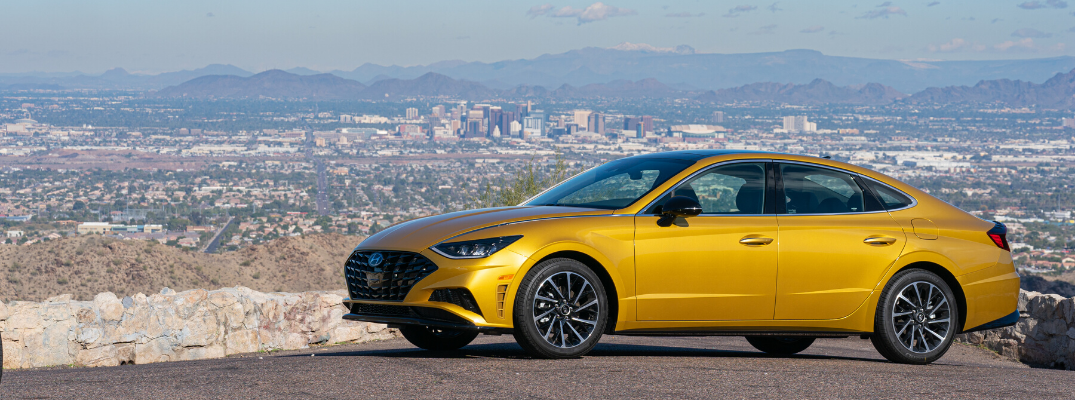
Side view of yellow 2020 Hyundai Sonata

What Kind of Technology Does the 2020 Hyundai Sonata Offer?

2020 Hyundai Sonata Technology Overview The longest-standing Hyundai model also happens to be the brand’s most successful vehicle. The eighth-generation 2020 Hyundai Sonata is better than ever before and offers an exciting range of entertainment and safety technology. Designed with the brand’s Sensuous Sportiness design language, the 2020 Sonata is the most attractive Sonata yet. Let's take a closer look at what features come inside the 2020 Sonata cabin in this technology overview guide. more Read more: What’s New on the 2021 Hyundai Elantra? 2020 Sonata Entertainment and Connectivity The cabin of the 2020 Hyundai Sonata comes equipped with in-demand technologies that are designed to enhance every trip behind the wheel. The slim dashboard is fitted with a 12.3-inch digital instrument cluster that displays customized views of various driving modes and system preferences. Also along the dashboard is the 10.25-inch HD screen that offers split-screen functionality for multitasking and ease of use. The 2020 Sonata comes equipped with a Qi high-speed wireless smartphone charging pad, Android Auto™, Apple CarPlay®, Bluetooth®, and more. The Hyundai Digital Key gives drivers the ability to unlock, lock, start, and stop their Sonata all with their smartphone. This smart key removes the need for a physical key, bringing automotive controls and functions all into one smartphone app. Safety Technology in 2020 Sonata The 2020 Hyundai Sonata supports a range of safety and driver assistance features that aim to help drivers stay safer and more alert on the road. The latest SmartSense advanced driver assistance systems can be found in the 2020 Sonata, including Forward Collision-Avoidance Assist, Lane Keeping Assist, Advanced Smart Cruise Control with Stop and Go, and Highway Driving Assist. Gilbert Hyundai Dealership Shoppers around Gilbert, Chandler, and San Tan Valley can find their perfect fit behind the wheel of a new Hyundai vehicle at Earnhardt Hyundai - San Tan. Our Gilbert Hyundai dealership is home to nearly 300 new Hyundai vehicles, with a full range of sedans, crossovers, and SUVs to choose from. Earnhardt Hyundai - San Tan provides the best automotive sales and service offers around for locals throughout San Tan Valley. Read more: How to Use Earnhardt Hyundai - San Tan Online Car Buying Services Gilbert AZ Shop the Earnhardt Hyundai - San Tan inventory today to view our entire lineup of 2020 Hyundai Sonata models equipped with the latest in-car technology. Contact a member of our team if you have any questions about available Sonata models or your current Hyundai vehicle.


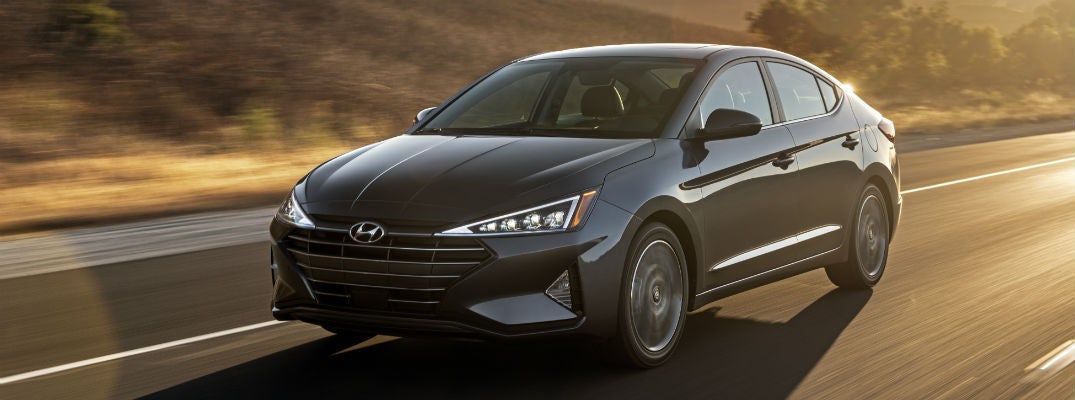
Grey 2020 Hyundai Elantra driving

What Standard and Available Features Does the 2020 Hyundai Elantra Offer?

2020 Hyundai Elantra Entertainment and Safety Features Overview The 2020 Hyundai Elantra has a lot to offer the drivers around the San Tan Valley and Chandler areas. Its cool and compact look paired with the latest in in-car technologies, the 2020 Elantra checks all of the boxes. This sharp and modern Hyundai sedan has a lot to offer in terms of entertainment and safety features and this overview from Earnhardt Hyundai - San Tan is here to give you all of the details. Keep reading to learn more about what standard and available features the 2020 Hyundai Elantra has to offer! more Shop Earnhardt Hyundai - San Tan With No Bull Express Online Tool 2020 Hyundai Elantra Safety Technology The 2020 Hyundai Elantra comes equipped with some of the latest smart safety technology yet, making it the perfect partner for drivers everywhere. The full range of safety features in this Hyundai sedan act as a second set of eyes for drivers to help you stay one step ahead while on the road. Some of the standard and available safety technology that can be found in the 2020 Elantra include Blind-Spot Collision Warning with Rear Cross-Traffic Collision Warning, Forward Collision-Avoidance Assist, Lane Keeping Assist, Driver Attention Warning, Safe Exit Assist, Smart Cruise Control, and more. 2020 Hyundai Elantra Entertainment Features All of the latest entertainment tech can be found in the 2020 Hyundai Elantra. This Hyundai sedan comes equipped with an optional sleek 8-inch touchscreen navigation in the dash to give drivers access to entertainment features, maps, general information, and more safely in one place. Available Apple CarPlay® and Android Auto™ connectivity bring all of your favorite smartphone apps right to your vehicle’s center screen. Hyundai Elantra SE models come equipped with a standard 5-inch display audio system while the rest of the Elantra lineup features a 7-inch high-resolution display as standard equipment. Contact the Earnhardt Hyundai - San Tan Team The 2020 Hyundai Elantra offers drivers a full range of entertainment and safety features that make choosing this sedan at San Tan Hyundai an easy choice. Head over to the Earnhardt Hyundai - San Tan inventory to view our entire lineup of in-stock Hyundai models available now on our dealership lot. Contact a member of our team with any questions.

Contact Us

Fill out this form below and we'll contact you shortly

By submitting your information, you agree to the sharing of your information between Hyundai Motor America and its authorized dealers.

*Required Fields